BLOG ON
Legacy ERP Modernization Without Replacing Everything
PUBLISHED ON - 23rd October, 2026 · 10 min read
PUBLISHED BY

Aditya Prem Sharma
Product Specialist
Legacy ERP Modernization Without Replacing Everything
Your ERP system might be 15 years old, difficult to maintain, and running on technology your developers no longer want to touch.
Yet it still handles purchasing, inventory, accounting, manufacturing, and thousands of transactions every day.
Replacing it sounds attractive until someone asks a difficult question:
What happens to the business if the new system doesn't work on Monday morning?
For many established companies, a complete ERP replacement introduces more risk than the original technology problem.
The alternative is legacy ERP modernization: improving selected parts of an existing enterprise resource planning system while preserving the functionality, business data, and processes that still work.
You might build a modern dashboard, expose ERP functionality through secure APIs, automate approvals, or move selected modules to the cloud, without replacing the entire system.
This guide explains how to decide what to modernize, which architecture to choose, what the project might cost, and how to avoid disrupting daily operations.
Do You Really Need to Replace Your ERP?
Not every old ERP is a bad ERP.
A manufacturing company might have spent years configuring production schedules, material requirements, supplier contracts, and accounting rules.
Those workflows may be difficult to reproduce in a new platform.
The real problem could be that employees still use outdated interfaces, reporting requires manual exports, and connecting new applications takes weeks.
Five signs your ERP needs modernization
- Slow reporting: Managers export data into Excel to prepare reports.
- Poor integration: CRM, ecommerce, warehouse, and accounting systems don't communicate reliably.
- Outdated interfaces: Employees struggle with complicated screens and repetitive data entry.
- High maintenance effort: Small changes require extensive testing or specialist developers.
- Security and support risks: The system depends on unsupported software, obsolete infrastructure, or poorly maintained integrations.
These problems don't necessarily require replacing the ERP's accounting or inventory engine.
Diagnose the problem before choosing a solution
| Business Problem | Potential Modernization |
|---|---|
| Outdated user interface | Modern web frontend |
| Manual reporting | Analytics dashboard |
| No external API | Secure integration layer |
| Repetitive approvals | Workflow automation |
| Poor customer visibility | Custom customer portal |
| Slow batch processing | Background processing and queues |
| Unsupported infrastructure | Platform or infrastructure migration |
| Difficult module changes | Incremental module extraction |
Don't replace ten years of working business logic because employees dislike the screens built around it.
A proper ERP assessment should distinguish between the parts that are obsolete, the parts that are valuable, and the parts that create unacceptable risk.
Five Ways to Modernize a Legacy ERP
ERP modernization isn't one specific technical approach.
There are several options, and each solves a different problem.
Rehost: Move the existing system
Rehosting moves the application to new infrastructure with relatively limited code changes.
For example, an ERP running on an aging on-premises server might be migrated to compatible cloud virtual machines.
This can improve infrastructure management, but it doesn't automatically fix outdated architecture or inefficient workflows.
Replatform: Upgrade the foundation
Replatforming changes selected infrastructure or runtime components while preserving much of the application.
Examples include moving to a managed database or upgrading supported application runtimes.
Compatibility testing is essential, especially when the ERP depends on older drivers, operating systems, or database features.
Refactor: Improve existing code
Refactoring improves internal software structure without intentionally changing its business behavior.
It may involve separating tightly coupled modules, improving database queries, or introducing automated tests.
This can make future development easier, but deep refactoring may be expensive when the codebase is poorly documented.
Extend: Build around the ERP
This is often the most practical starting point.
Keep the existing ERP as the system of record and develop new applications around it.
Examples:
- Modern sales dashboards
- Supplier self-service portals
- Mobile warehouse applications
- Automated purchase approvals
- CRM and ecommerce integrations
- AI-assisted reporting
Replace selected modules
Sometimes one ERP module is genuinely unsuitable.
Instead of replacing everything, migrate that module to a modern service while retaining the remaining ERP functionality.
This requires careful ownership of data and transactions.
| Strategy | Disruption Risk | Typical Goal |
|---|---|---|
| Rehost | Lower, with compatibility caveats | Infrastructure refresh |
| Replatform | Moderate | Platform improvements |
| Refactor | Varies by scope | Maintainability |
| Extend | Often lower for read-only features | New business capabilities |
| Module replacement | Moderate to high | Remove specific limitations |
| Full replacement | Potentially high | Comprehensive transformation |
Important
The least disruptive option isn't always the cheapest over ten years. A modernization strategy should account for future supportability, security, and the eventual retirement of obsolete components.
The Architecture: Modern Software Around Old ERP
Consider a distributor using a legacy ERP for inventory, purchasing, and invoicing.
The company wants a modern B2B ordering portal, but replacing its ERP would require rebuilding years of financial and inventory workflows.
A possible solution is to introduce an integration layer.
The ERP continues handling established business transactions.
New applications communicate through controlled integration services.
Why use an integration layer?
It prevents every new application from depending directly on legacy database tables or internal implementation details.
A modern service might expose an endpoint such as:
GET /api/v1/inventory/availability?sku=SKU-1024The integration service authenticates the request, checks permissions, retrieves information through a supported ERP interface, and returns a consistent response.
The frontend doesn't need to know how the ERP stores inventory.
What if the ERP has no APIs?
Possible approaches include:
- Vendor-supported integration interfaces
- Existing stored procedures or services
- Secure read-only database access
- Scheduled data exports
- Change data capture
- Controlled integration middleware
Direct database writes are particularly risky because they can bypass ERP validation, accounting rules, and transaction controls.
A supported integration mechanism should be preferred whenever possible.
Modernize the frontend without replacing the backend
A custom React or Next.js application can provide modern workflows while existing ERP services continue processing transactions.
For example, warehouse employees could use a mobile-friendly interface to scan products, check stock, and initiate transfers.
The integration layer would validate and submit those operations through supported ERP functionality.
A modern user experience doesn't always require a modern replacement for every system behind it.
How to Modernize Without Business Downtime
One of the most useful modernization techniques is the Strangler Fig pattern.
Instead of replacing the entire application at once, the organization gradually introduces new components.
Old and new systems coexist while individual functions are migrated.
This approach is documented by AWS and Microsoft as a way to reduce the risk of large application migrations.
Example: Modernizing order management
Imagine an ERP with four core areas:
- Order management
- Inventory
- Purchasing
- Finance
The business wants to modernize order management first.
Phase A — Preserve existing operations
The legacy ERP continues handling every order.
The engineering team documents current behavior, dependencies, and failure scenarios.
Phase B — Introduce the new order interface
A modern application connects to the existing order-processing functionality.
Employees begin using the new interface while the ERP remains responsible for transactions.
Phase C — Extract selected functionality
If necessary, specific order-management functions move into new services.
Traffic is redirected gradually, with clear data ownership and rollback procedures.
Phase D — Retire obsolete functionality
Only after the new service is validated and dependencies are resolved should the old functionality be disabled.
Why this approach works
It allows the business to modernize one area at a time while preserving established operations.
However, coexistence introduces temporary complexity. Teams must maintain both systems, synchronize necessary data, and monitor integrations.
Zero downtime isn't a default guarantee
Some changes—particularly database migrations, financial cutovers, and infrastructure upgrades—may require controlled maintenance windows.
The practical objective is to minimize disruption, not promise that every ERP migration can happen without interruption.
Warning
Never retire an old ERP module simply because the replacement passed a demonstration. Validate production-like transaction volumes, exception handling, integrations, reconciliation, and recovery procedures first.
A Manufacturing ERP Modernization Example
Consider a hypothetical manufacturer operating three factories and six warehouses.
Its ERP manages production orders, raw materials, purchasing, and finance.
The system is reliable, but plant managers cannot easily see inventory movements across locations.
Sales teams also need to contact warehouse employees to confirm product availability.
The existing process
A sales representative receives a customer enquiry.
They request stock information from the warehouse.
The warehouse checks the ERP and responds.
The representative prepares a quotation.
If stock changes during this process, the quotation may need to be revised.
The problem isn't necessarily that the ERP calculates inventory incorrectly.
It's that relevant information isn't available to the people who need it.
The proposed modernization
Build a secure sales and inventory portal connected to the existing ERP.
The portal provides:
- Role-based stock visibility
- Product availability by warehouse
- Customer-specific pricing
- Quotation preparation
- Order status tracking
- Inventory transfer requests
- Management reporting
What stays unchanged?
The existing ERP can remain responsible for inventory accounting, production planning, purchasing, and financial transactions.
What changes?
Sales teams gain a modern interface and faster access to relevant information.
The integration layer handles authentication, data retrieval, and supported ERP transactions.
Measuring the result
Before development, record baseline metrics:
| Metric | What to Measure |
|---|---|
| Stock enquiry time | Time from request to answer |
| Quotation turnaround | Time to prepare a quotation |
| Inventory accuracy | Differences between displayed and ERP stock |
| Manual coordination | Number of emails or calls per order |
| Integration failures | Failed or delayed synchronization |
| Employee adoption | Active users and task completion |
This is a hypothetical scenario, not a claim about a completed Software Studio Pro client project.
Modernization creates value when it removes friction from a working business process—not merely when the screens look newer.
The Biggest ERP Modernization Risks
ERP projects become dangerous when teams underestimate the dependencies hidden inside an existing system.
Data consistency
Suppose both the old ERP and a new inventory service can update stock quantities.
If both are treated as authoritative, conflicting records may emerge.
For each business domain, define one authoritative system of record and explicit synchronization rules.
Undocumented business logic
An ERP may contain years of custom pricing formulas, stored procedures, tax rules, and exception handling.
These must be discovered before migrating related functionality.
Integration failures
External APIs can time out, return errors, or become unavailable.
Production integrations should consider:
- Retry policies
- Idempotency
- Queue processing
- Error monitoring
- Reconciliation
- Dead-letter handling
- Recovery procedures
Security exposure
Older ERP systems may not have been designed for internet-facing applications.
Avoid exposing legacy databases or services directly to the public internet.
Introduce modern authentication, authorization, network controls, and audit logging at appropriate boundaries.
Vendor restrictions
Some commercial ERP platforms limit customization, direct database access, or supported integration methods.
Review licensing and vendor support conditions before designing the architecture.
Missing rollback plans
Every major cutover needs a documented recovery procedure.
This includes defining when rollback remains possible, how data changes are reconciled, and who has authority to make the decision.
A modernization project isn't ready for deployment until the team can explain what happens when the new system fails.
Legacy ERP Modernization Cost in India
Modernization costs vary considerably because the starting point matters as much as the desired result.
Adding a dashboard to an ERP with documented APIs is very different from extracting a finance module from a heavily customized legacy application.
The following are illustrative 2026 planning budgets for Indian development engagements, not verified market averages or fixed quotations.
| Project Scope | Indicative Budget |
|---|---|
| ERP technical audit and roadmap | ₹2–5 lakh |
| Modern reporting dashboard | ₹4–10 lakh |
| ERP API and integration layer | ₹6–15 lakh |
| Customer or supplier portal | ₹8–20 lakh |
| Selected module modernization | ₹15–40 lakh |
| Multi-module modernization program | ₹40 lakh–₹1 crore+ |
What drives the budget?
The most important factors include system accessibility, code quality, data complexity, vendor restrictions, integrations, transaction volumes, and required availability.
Example: Phased investment
A hypothetical mid-sized manufacturer might plan:
| Phase | Illustrative Budget |
|---|---|
| ERP audit and architecture | ₹3 lakh |
| Integration layer | ₹8 lakh |
| Sales and inventory portal | ₹12 lakh |
| Testing and rollout | ₹4 lakh |
| Initial investment | ₹27 lakh |
The organization would also need a budget for hosting, monitoring, maintenance, security, and future changes.
These figures illustrate how a project could be scoped; they are not a quotation.
Modernization vs full replacement
A full ERP replacement may include software licensing, implementation partners, customization, migration, training, integrations, and operational disruption.
A phased modernization project may avoid rebuilding functioning modules.
However, it can also create long-term maintenance costs if the old ERP remains unsupported or the new architecture introduces excessive complexity.
The correct comparison is total cost of ownership over a realistic planning horizon.
The cheapest modernization project is not necessarily the one with the lowest development quote. It's the one that solves the business problem without creating a larger maintenance burden.
A Practical 90-Day ERP Modernization Roadmap
A focused 90-day initiative can help establish whether a modernization strategy is viable.
It should not be mistaken for a guaranteed timeline to modernize an entire enterprise ERP.
Days 1–15: System discovery
Document the ERP modules, infrastructure, database, integrations, users, and critical business processes.
Interview employees who depend on the system.
Identify the most expensive operational bottlenecks.
Deliverable: Current-state architecture and modernization priorities.
Days 16–30: Architecture and feasibility
Evaluate supported integration methods.
Define security requirements, data ownership, and the initial application architecture.
Select one workflow with measurable business value.
Deliverable: Technical design, project scope, and risk register.
Days 31–60: Build the first capability
Develop the integration services and initial modern application.
Use staging environments and representative test data.
Validate authentication, permissions, data consistency, and failure handling.
Deliverable: Working pilot application.
Days 61–75: Controlled testing
Run functional, integration, performance, and security tests.
Compare outputs against the existing ERP.
Involve actual business users.
Deliverable: Tested pilot and documented findings.
Days 76–90: Limited rollout
Deploy to a small group or selected location.
Monitor performance and business outcomes.
Resolve issues before expanding to other departments or branches.
Deliverable: Initial production capability and next-phase roadmap.
What should the CTO approve?
Before scaling, leadership should have clear answers to these questions:
- Which system owns each business record?
- How are permissions enforced?
- What happens when an integration fails?
- Can the team reconcile financial and inventory data?
- What is the recovery plan?
- What are the operating costs?
- Which measurable business problem has been solved?
Tip
Choose a first modernization project that is valuable, measurable, and reasonably isolated. A read-only reporting portal is often a safer starting point than replacing financial posting logic.
Modernize Your ERP with Software Studio Pro
You don't necessarily need to replace your entire ERP to give employees modern tools and improve business operations.
At Software Studio Pro, we develop custom software, modern web applications, integration services, and business automation systems.
Our capabilities include:
- Legacy application modernization
- Custom ERP integrations
- Modern React and Next.js interfaces
- Secure backend APIs
- Business dashboards and reporting
- Customer and supplier portals
- Workflow automation
- Cloud migration support
- Ongoing software maintenance
A practical modernization engagement begins with understanding the existing ERP, identifying the highest-value improvements, and evaluating integration feasibility.
From there, we can help develop a phased implementation plan that preserves essential operations while introducing new capabilities.
Planning to modernize your ERP without disrupting your business?
FAQ
What is legacy ERP modernization?
Legacy ERP modernization is the process of improving an existing ERP system through infrastructure upgrades, modern interfaces, integrations, refactoring, or selective module replacement.
Can you modernize an ERP without replacing it?
Yes. Businesses can preserve existing ERP functionality while introducing modern dashboards, APIs, portals, automation, and cloud infrastructure.
What is the difference between ERP modernization and ERP replacement?
Modernization improves or selectively changes an existing system. Replacement moves the business to a different ERP platform, often requiring extensive data migration and process changes.
How much does ERP modernization cost in India?
A focused dashboard or integration project may be budgeted around ₹4–15 lakh. Larger multi-module modernization programs can exceed ₹40 lakh. These are illustrative estimates.
How long does ERP modernization take?
A focused pilot may take approximately two to three months. Complex programs involving multiple ERP modules, financial data, and integrations can take many months or years.
Can a legacy ERP connect with modern APIs?
Often, yes. Integration options may include vendor APIs, middleware, supported database interfaces, event processing, or scheduled synchronization.
Can an old ERP be moved to the cloud?
Sometimes. Feasibility depends on operating system compatibility, database support, licensing, network dependencies, and vendor restrictions.
What is the Strangler Fig pattern?
It is an incremental modernization technique where new services gradually take over selected responsibilities from an older application, allowing the systems to coexist during migration.
Is ERP modernization less risky than replacement?
It can reduce migration risk by limiting the scope of individual changes. However, poorly designed integrations, data synchronization, and unsupported legacy components can still create significant risks.
What should be modernized first?
Start with a valuable, measurable workflow that has manageable dependencies. Reporting, customer portals, and read-only integrations are often useful candidates.
Can AI be integrated with a legacy ERP?
Yes, when secure and suitable access to business data and actions is available. AI assistants can support reporting, document processing, and workflow automation while existing ERP systems remain authoritative.
Should every legacy ERP eventually be replaced?
Not necessarily. The decision depends on security, vendor support, maintainability, business requirements, and the total cost of continued operation versus replacement.
Ready to bring your business idea to life? Contact us today and let's build something amazing together!
Contact Us
READ MORE BLOGS
Building AI Agents That Work Inside Enterprise Software
Published on - 23rd October, 2026
Custom B2B Procurement Portal Development
Published on - 23rd October, 2026
Multi-Tenant SaaS Architecture for Enterprise Products
Published on - 23rd October, 2026
Unified Data Platform for Multi-Branch Businesses
Published on - 23rd October, 2026
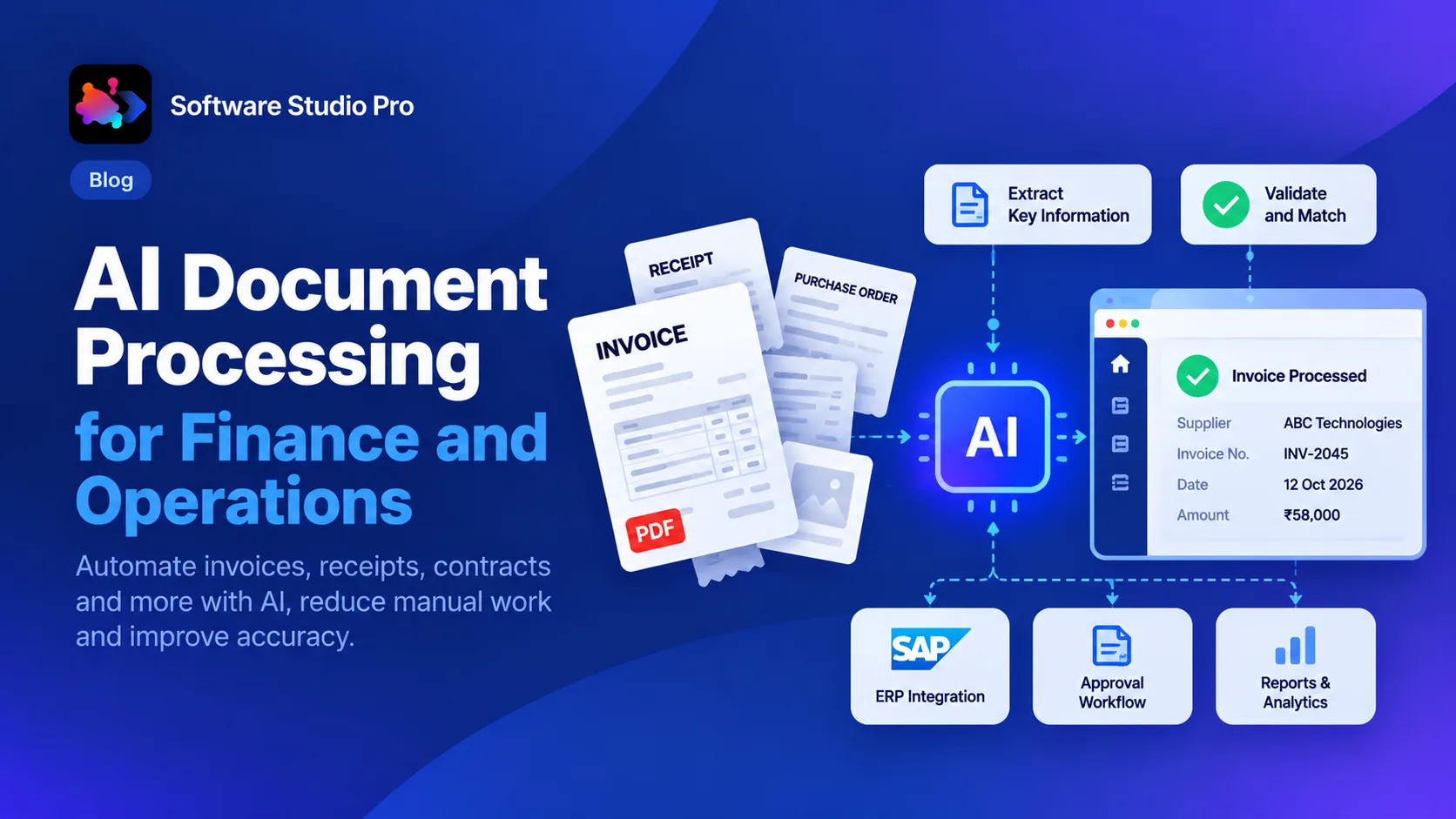
AI Document Processing for Finance and Operations
Published on - 23rd October, 2026