BLOG ON
Custom B2B Order Management System Development
PUBLISHED ON - 26th October, 2026 · 8 min read
PUBLISHED BY

Aditya Prem Sharma
Product Specialist
Custom B2B Order Management System Development
A distributor receives an order worth ₹8 lakh through WhatsApp.
The salesperson confirms the price. Finance checks the customer's credit limit. The warehouse verifies inventory. Someone copies the order into the ERP.
Two hours later, the customer asks for an update.
Nobody can give a clear answer because the order information is spread across four people and three applications.
Now imagine receiving 200 orders like this every day.
Your biggest problem isn't getting more orders. It's processing the orders you already have without creating delays, mistakes, and unnecessary work.
A custom B2B order management system connects customers, sales teams, pricing, inventory, approvals, fulfillment, and invoicing into one coordinated process.
Important
B2B order management is not just an ecommerce website. It must handle the business rules behind wholesale transactions, including customer-specific prices, credit terms, minimum quantities, approvals, and partial deliveries.
For manufacturers, wholesalers, distributors, and industrial suppliers, the right software can make ordering easier for customers while reducing repetitive work for internal teams.
Why B2B Ordering Is Becoming More Digital
B2B buyers increasingly expect to research products, check availability, and place orders without waiting for a salesperson.
Gartner's 2026 survey found that 67% of surveyed B2B buyers preferred a sales-representative-free experience.
That doesn't mean salespeople are becoming irrelevant.
It means buyers want more control over routine purchasing, while sales teams can focus on negotiations, complex requirements, and relationships.
McKinsey's 2026 Global B2B Pulse research also found that buyers use an average of ten channels during their purchasing journey.
What this means for your business
Your customers may discover products through your website, request prices through WhatsApp, negotiate with sales, and submit purchase orders by email.
That is normal.
The problem begins when every channel creates a separate manual process.
Your ordering system should bring these channels together without forcing every customer to change how they buy overnight.
Where Wholesale Orders Get Stuck
Let's examine the points where a typical distributor loses time.
| Order Stage | Manual Process | Connected Software |
|---|---|---|
| Order received | WhatsApp, email, phone | Centralized order record |
| Product identification | Employee matches product names | SKU and catalog validation |
| Customer pricing | Salesperson checks price sheet | Customer-specific price rules |
| Credit verification | Finance reviews manually | Automated checks and exceptions |
| Stock confirmation | Warehouse receives a call | Inventory availability integration |
| Order approval | Email and phone follow-ups | Defined approval workflow |
| Fulfillment | Order re-entered into another system | Approved order sent to ERP/WMS |
| Invoice generation | Finance copies order details | Billing integration |
| Customer updates | Salesperson answers status calls | Self-service order tracking |
The expensive part isn't always data entry
Manual processes also create:
- Orders forgotten in message threads
- Incorrect product variants
- Outdated customer pricing
- Duplicate purchase orders
- Unapproved discounts
- Inventory promised to multiple customers
- Delayed dispatch
- Incorrect invoices
Warning
Automating an incorrect business rule makes the mistake faster, not better. Pricing, credit checks, inventory allocation, and approvals must be clearly defined before automation.
What a Connected Order Workflow Looks Like
Consider an industrial parts supplier serving 500 business customers.
Each customer has negotiated pricing, payment terms, and purchasing permissions.
The ideal order journey
1. Customer identifies products
The buyer signs in to a B2B portal or submits an order through a supported channel.
2. The system recognizes the account
It retrieves the customer's approved catalog, price list, tax information, and ordering rules.
3. Products and quantities are validated
The system checks SKUs, minimum order quantities, pack sizes, and applicable restrictions.
4. Inventory availability is checked
Available-to-promise quantities are retrieved from the relevant inventory system.
5. Business rules are applied
Credit limits, discount thresholds, and approval requirements are evaluated.
6. The order is confirmed
The customer receives an order reference and the relevant expected fulfillment information.
7. Fulfillment begins
The approved order moves to the ERP, warehouse, or production planning system.
8. Invoicing and tracking follow
The customer can see order progress, shipment details, and relevant billing documents.
What should remain manual?
Not every decision needs automation.
Large negotiated contracts, unusual discounts, credit exceptions, and complex product configurations may still require human approval.
The goal is to automate predictable work and make exceptions easier to manage.
Real Companies Reducing Order Processing Time
Several companies have published measurable results from modernizing their B2B order processes.
FUCHS Lubricants: From 30 Minutes to 2.6 Minutes
FUCHS Lubricants, part of the global FUCHS Group, supplies products to industrial, automotive, mining, and retail customers.
Its Australian and New Zealand operations were manually entering complex customer orders into SAP.
The company implemented Esker Order Management to automate order capture and improve visibility.
According to Esker's published customer story:
| Measure | Reported Result |
|---|---|
| Previous average processing time | 30 minutes |
| New average processing time | 2.6 minutes |
| Reduction in processing time | Approximately 91% |
| Order processing automation | 96.8% |
The solution also improved access to order documents and related information within SAP.
These are vendor-reported results from the customer's implementation, not guaranteed outcomes for other companies.
TrueWholesale: Digitizing Retailer Orders in India
TrueWholesale served retailers through agents, paper-based ordering, and manually tracked stock.
A web and mobile ordering platform was introduced to let retailers place orders directly.
The development agency's published case study reports:
- 60% less order-processing time
- 40% fewer stock discrepancies
- A 200% increase in sales after moving ordering onto the platform
The sales increase should not be attributed solely to the software without additional evidence about the company's growth and operating conditions.
The lesson for growing distributors
Both examples point toward a similar opportunity.
When order information enters the system correctly and moves between teams without repeated re-entry, employees can spend less time on administration.
However, the best implementation depends on existing software, customer behavior, and business rules.
The Features Your B2B Portal Actually Needs
A B2B ordering system should be designed around how business customers purchase.
That often differs significantly from consumer ecommerce.
Customer-facing capabilities
Personalized product catalogs
Different customers may see different products, prices, or purchasing restrictions.
Quick order entry
Repeat buyers should be able to order by SKU, upload an approved order template, or reorder previous purchases.
Bulk quantities and pack sizes
Customers may need to order cartons, pallets, cases, or other predefined units.
Quotes and negotiated pricing
Some transactions require quotations or approvals before becoming confirmed orders.
Order tracking
Customers should be able to check order status without contacting their account manager.
Invoices and account information
Approved users can access relevant invoices, statements, and purchasing history.
Internal capabilities
| Team | Useful Features |
|---|---|
| Sales | Customer accounts, quotations, negotiated prices |
| Finance | Credit limits, payment terms, invoice status |
| Warehouse | Order allocation, picking and dispatch integration |
| Operations | Order exceptions, fulfillment progress |
| Management | Order volume, processing time, customer trends |
| Administrators | Roles, permissions, pricing rules, audit history |
Mobile apps for sales representatives
A field sales app can support customer visits, catalog browsing, quotations, order creation, and follow-ups.
Offline functionality may be useful where connectivity is unreliable, but pricing and stock availability must be revalidated when the device reconnects.
Desktop applications
Desktop software may be appropriate for businesses with specialized order-entry workstations, printing workflows, or integrations with legacy applications.
A browser-based platform is often sufficient for standard office workflows.
Build the interfaces your employees and customers will actually use, not every interface that could theoretically exist.
What Could Order Automation Save?
Consider a hypothetical distributor processing 3,000 orders per month.
Each order currently requires 12 minutes of manual administrative work.
After introducing structured order entry and suitable automation, assume the average falls to 4 minutes.
Illustrative calculation
| Metric | Before | After |
|---|---|---|
| Monthly orders | 3,000 | 3,000 |
| Manual time per order | 12 minutes | 4 minutes |
| Total monthly processing time | 600 hours | 200 hours |
| Monthly capacity released | 400 hours |
If the illustrative loaded labor cost is ₹350 per hour:
400 × ₹350 = ₹1,40,000 of monthly labor capacity
That is approximately ₹16.8 lakh in annual capacity value.
This is not automatically a reduction in payroll expenses.
Financial benefits depend on whether the business can reduce overtime, avoid additional hiring, process more orders, or redirect employees toward revenue-generating activities.
What should you measure after launch?
- Average order processing time
- Percentage of orders requiring manual intervention
- Order entry error rate
- Quote-to-order conversion
- Time from order confirmation to dispatch
- Credit approval turnaround time
- Digital ordering adoption
- Repeat-order frequency
- Cost per processed order
Tip
Track the number of orders that require human correction. This often reveals whether automation is genuinely improving operations or merely shifting manual work to another department.
Should You Build Custom or Buy Existing Software?
There are several ways to modernize B2B order management.
You can implement a commercial B2B commerce platform, extend your ERP, or develop a custom ordering system.
Ready-made B2B commerce platforms
These may offer product catalogs, customer accounts, pricing, and order workflows.
They can be effective when your requirements fit the available features and integrations.
ERP order management modules
If your business already uses an ERP, its order management capabilities may cover much of the required functionality.
The missing piece may simply be a customer-facing portal or a better mobile interface.
Custom B2B order management
Custom development becomes more attractive when your business has specialized pricing, approval rules, fulfillment processes, or legacy integrations.
A practical decision table
| Business Requirement | Likely Approach |
|---|---|
| Standard wholesale catalog and checkout | Existing B2B platform |
| Basic order entry within ERP | Existing ERP module |
| Custom customer portal connected to ERP | Custom portal or extension |
| Complex negotiated pricing | Evaluate ERP/platform first, then custom |
| Multiple disconnected order channels | Integration and workflow automation |
| Proprietary fulfillment rules | Custom development may be suitable |
| Specialized mobile sales process | Custom mobile application |
| Existing platform works except for reporting | Custom dashboard or reporting layer |
When custom software is unnecessary
If your current system already supports your pricing, approvals, inventory, and fulfillment workflows reliably, rebuilding it may add cost without enough benefit.
The smartest investment may be connecting your existing tools rather than replacing them.
Development Cost and a Sensible Launch Plan
Custom B2B order management software can range from a focused ordering portal to a complex enterprise platform.
The following are illustrative 2026 software development planning ranges in India, not verified market averages or fixed quotations.
| Development Scope | Indicative Budget |
|---|---|
| Basic B2B ordering portal | ₹4–8 lakh |
| Customer pricing and order approvals | ₹8–15 lakh |
| Portal with ERP and inventory integration | ₹15–30 lakh |
| Multi-channel order management platform | ₹30–60 lakh |
| Enterprise order orchestration platform | ₹60 lakh–₹1.5 crore+ |
Budgets depend on integrations, transaction volumes, security, pricing complexity, customer roles, and operational requirements.
Hosting, third-party subscriptions, messaging, payment processing, and ongoing maintenance may add separate costs.
What should the first release contain?
A useful MVP often includes:
- Customer authentication and account permissions
- Product catalog and customer-specific pricing
- Cart or quick-order entry
- Order validation and submission
- Order status tracking
- Admin dashboard
- Basic ERP or inventory synchronization
- Error reporting and audit logs
What can wait?
Advanced AI recommendations, sophisticated forecasting, multi-country pricing, and extensive analytics may be better introduced after the core ordering process works reliably.
Test the difficult scenarios
Before launch, verify:
- Included: Different customers see the correct prices.
- Included: Unauthorized discounts cannot be applied.
- Included: Duplicate purchase orders are handled.
- Included: Orders cannot reserve unavailable stock incorrectly.
- Included: Credit-limit exceptions follow approved rules.
- Included: Partial fulfillment is handled correctly.
- Included: Cancelled orders release inventory appropriately.
- Included: ERP integration failures are visible and recoverable.
- Included: Customers cannot access another account's information.
- Included: Order history and changes are auditable.
A reliable ordering platform must handle exceptions, not just successful transactions.
How Software Studio Pro Can Help
Your company may already have customers, salespeople, inventory systems, and accounting software.
What you need is a better way to connect them.
At Software Studio Pro, we develop custom web applications, mobile apps, desktop software, business dashboards, and enterprise integrations.
Solutions we can build
Custom B2B ordering portals
Let customers browse approved catalogs, view account-specific prices, and place orders.
Distributor and dealer applications
Support wholesale ordering, repeat purchases, customer accounts, and order tracking.
Sales representative mobile apps
Help sales teams create quotations, place orders, and manage customer visits.
ERP and inventory integrations
Connect order information with existing business systems and fulfillment processes.
Custom pricing and approval workflows
Implement validated business rules for discounts, customer tiers, credit limits, and special orders.
Order management dashboards
Give sales, finance, and operations a shared view of order progress and exceptions.
Automation and reporting
Reduce repetitive administrative work and provide clearer operational visibility.
We don't start by replacing everything
If your ERP already manages inventory and finance reliably, we can explore building the missing customer-facing or workflow components around it.
If your current order process is spread across multiple disconnected tools, we can help map the workflow and identify where integrations or custom applications would create the most value.
The objective is simple: make ordering easier for your customers and order processing more reliable for your team.
FAQ
What is a B2B order management system?
A B2B order management system helps businesses receive, validate, approve, track, and fulfill orders from other businesses.
How is B2B order management different from ecommerce?
B2B ordering often involves negotiated pricing, bulk quantities, credit terms, quotations, approval workflows, and complex fulfillment requirements.
Can customers order through WhatsApp?
Yes, supported WhatsApp integrations can help capture order requests, but product validation, approvals, and confirmation rules still need to be handled correctly.
Can a B2B portal integrate with SAP or Oracle?
Yes, depending on the ERP products, available interfaces, licensing, and integration requirements.
Can different customers have different prices?
Yes. Custom software can support account-specific price lists, negotiated contracts, volume discounts, and approved pricing rules.
Can customers reorder previous purchases?
Yes. A B2B portal can offer order history, saved lists, and quick reorder functionality.
Can the system handle credit limits?
Yes, if credit policies and the necessary financial data are available. Exceptions can be routed through approval workflows.
How much does custom B2B order software cost?
A focused ordering portal in India might be budgeted around ₹4–8 lakh, while more complex integrated platforms may require ₹15–60 lakh or more. These are illustrative estimates.
How long does development take?
A focused initial release may take approximately three to five months, depending on features, integrations, and testing requirements.
Should we replace our ERP?
Not necessarily. In many cases, a customer portal or integration layer can improve ordering without replacing existing ERP software.
Can sales representatives use a mobile app?
Yes. A custom mobile application can support quotations, customer visits, order entry, and relevant account information.
What should we automate first?
Start with the most repetitive and error-prone part of your order process, such as order entry, pricing validation, approvals, or ERP synchronization.
Ready to bring your business idea to life? Contact us today and let's build something amazing together!
Contact Us
READ MORE BLOGS
Custom Field Service Management Software Development
Published on - 26th October, 2026
Manufacturing Execution System (MES) Development
Published on - 26th October, 2026
Custom Healthcare Practice Management Software: What Clinics Really Need
Published on - 26th October, 2026
Custom Warehouse Management Software Development
Published on - 26th October, 2026
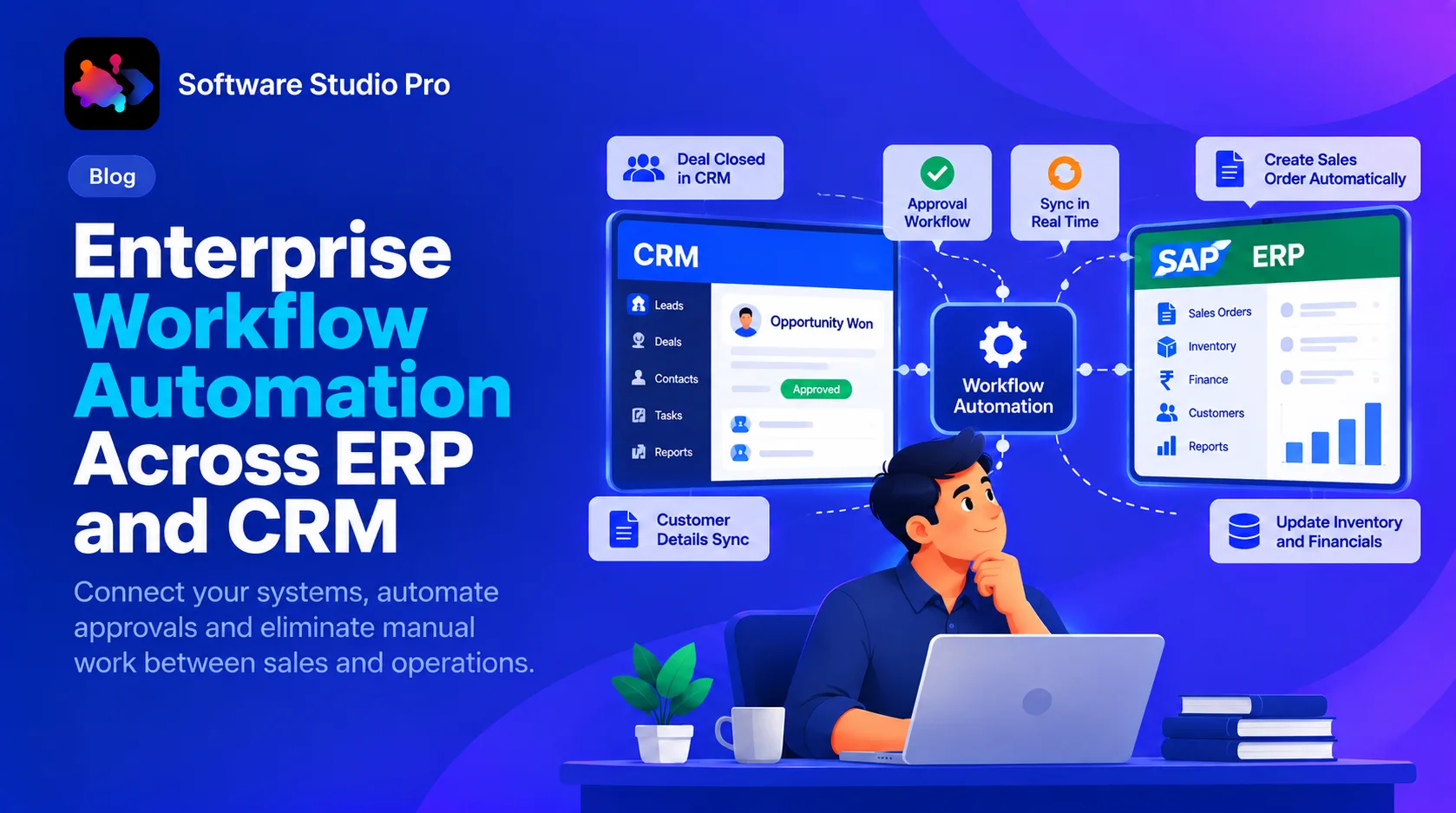
Enterprise Workflow Automation Across ERP and CRM
Updated on - 23rd October, 2026