BLOG ON
Custom Field Service Management Software Development
PUBLISHED ON - 26th October, 2026 · 10 min read
PUBLISHED BY

Aditya Prem Sharma
Product Specialist
Custom Field Service Management Software Development
Your technician arrives at a customer's site at 10 AM.
The customer has been waiting since 8 AM. The technician discovers that the required replacement part isn't available. The office thought the part was already in the service van.
The technician leaves without completing the repair.
Now your business has lost travel time, the customer needs another appointment, and your scheduling team has to reorganize the day.
The problem wasn't the technician. It was the information the technician didn't have.
This is why field service businesses invest in better operational software.
Custom field service management software connects your office, technicians, customers, inventory, and billing into one coordinated system. It helps companies manage everything from the first service request to the completed job and final invoice.
Important
A field service app shouldn't simply digitize paperwork. It should help your team complete more jobs correctly, with fewer unnecessary visits and less administrative work.
The opportunity is substantial. Salesforce's 2026 State of Service research found that mobile workers estimated spending approximately 7.27 hours of a 40-hour working week on low-value administrative tasks.
That is time potentially available for customer service, training, or other productive work.
Where Field Service Companies Lose Money
Field service operations look straightforward from the outside.
A customer requests service. A technician visits. The job gets completed. The customer pays.
In reality, every job depends on several moving parts.
The problems that grow with your business
| Operational Problem | What Happens | Business Impact |
|---|---|---|
| Manual scheduling | Dispatchers coordinate through calls and spreadsheets | Delays and scheduling conflicts |
| Missing equipment history | Technicians arrive without previous service details | Longer diagnosis |
| Incorrect parts availability | Required components aren't available onsite | Repeat visits |
| Paper service reports | Completed jobs require manual processing | Delayed invoicing |
| Poor technician visibility | Managers don't know current job status | Unnecessary follow-ups |
| Disconnected billing | Finance waits for completion documents | Slower collections |
| Missed maintenance visits | Recurring service dates aren't tracked reliably | Customer complaints and contract risk |
These issues become more expensive as the number of technicians, customers, and service locations increases.
What technicians are saying
ServiceTrade's 2026 Technician Insights Report surveyed 823 service technicians.
Among respondents:
- 45% identified miscommunication between the field and office as a productivity obstacle.
- 44% identified poor scheduling or last-minute changes.
These are survey findings from a specific technician sample, not universal industry rates.
The takeaway is practical.
Before investing in complicated AI scheduling or advanced analytics, many businesses need to fix basic communication and coordination.
What Should Your Field Service Software Include?
The best starting point is to organize the software around the people who use it.
A dispatcher, technician, customer, and finance manager have different responsibilities.
They shouldn't all use the same complicated interface.
Operations dashboard
Your office team needs a clear view of daily service activities.
Essential capabilities include:
- Work order creation and assignment
- Technician availability and schedules
- Customer and equipment records
- Job status and priority
- Appointment rescheduling
- Service-level agreement monitoring
- Inventory and spare-parts availability
- Escalations and unresolved jobs
Technician mobile app
Technicians need information that helps them finish the job, not more forms.
A useful mobile application provides:
- Assigned jobs and appointment details
- Customer address and contact information
- Equipment history and previous repairs
- Checklists and troubleshooting information
- Spare-parts requirements
- Photos and service documentation
- Time and material tracking
- Customer signatures
- Job completion reports
Customer self-service portal
Customers should be able to request and follow up on services without repeatedly calling your office.
Possible features include:
- Book service appointments
- Track service requests
- View technician arrival updates
- Approve estimates
- Access service reports
- Download invoices
- Review maintenance contracts
Finance and management
Management needs to understand profitability, not merely count completed jobs.
Useful reporting includes technician utilization, repeat visits, service revenue, parts consumption, job costs, and invoice status.
The real product is a connected workflow across these interfaces.
Real Companies That Improved Field Operations
Field service modernization isn't limited to startups or small repair businesses.
Large companies are investing in the same fundamentals: better scheduling, connected data, mobile workflows, and faster reporting.
Case Study: Al Thuriah Facilities Management
Al Thuriah operates in property development and facilities management, serving more than 150 businesses and managing over 50 properties.
Its facilities management division needed better coordination between service requests, maintenance teams, customers, and operational reporting.
The company implemented Microsoft Dynamics 365 Field Service with an integrated customer portal.
Reported results
| Operational Measure | Reported Outcome |
|---|---|
| Task completion time | Reduced by up to 50% |
| Preventive maintenance effectiveness | Improved by 22% |
| Unplanned repair cases | Reduced by 48% within six months |
| Complex 150-page reports | Reduced from 4–5 days to under 2 hours |
The company attributed these improvements to better maintenance planning, centralized work orders, reporting, and service coordination.
These are outcomes reported in Microsoft's customer story, not guaranteed results from implementing field service software.
Case Study: Ausgrid
Ausgrid is an Australian electricity distributor.
Its previous processes made it difficult for dispatchers to understand technicians' existing assignments when urgent jobs arrived.
That created scheduling conflicts and sometimes forced important planned work to be rescheduled.
Ausgrid integrated Dynamics 365 Field Service with its existing customer service and enterprise applications.
More than 1,400 field workers now use the platform for planned and unplanned work.
The implementation helped teams:
- Coordinate urgent and scheduled jobs
- Access customer service history
- Find nearby available assignments
- Reduce manual timesheet entry
- Capture service photos and documents centrally
Ausgrid's published story describes operational improvements but doesn't provide a single percentage for overall productivity gains.
What smaller businesses can learn
You don't need 1,400 technicians to justify better software.
A business with 20 technicians can face the same coordination problems.
The difference is the scale of the investment and the complexity of the system.
Build for the operational problems you have today, but design the software so it can support the business you want to become.
A Service Job, Before and After Automation
Consider a commercial air-conditioning maintenance company.
A customer reports that an air-conditioning unit has stopped working.
Without connected software
The office receives a call.
An employee checks a spreadsheet for technician availability.
The dispatcher calls two technicians before finding someone free.
The assigned technician arrives without knowing the equipment's repair history.
The required replacement part isn't available.
Another appointment is scheduled.
After the second visit, the technician submits a paper report.
Finance waits for the paperwork before issuing an invoice.
With connected field service software
1. Service request received
The system creates a work order linked to the customer and equipment.
2. Technician assigned
The dispatcher sees availability, location where permitted, required skills, and job priority.
3. Parts verified
The system checks available inventory or flags missing components.
4. Technician receives the job
The mobile app displays service history, customer details, and required tasks.
5. Work completed
The technician records photos, materials, time spent, and customer approval.
6. Billing initiated
Approved job information flows to the accounting or ERP system.
7. Customer receives confirmation
The customer can access the service report and relevant invoice information.
The biggest difference
The second process doesn't require every employee to repeatedly ask what happened at the previous step.
Information moves with the job.
And when something goes wrong, the team can see where the process stopped.
Why Offline Mobile Apps Matter
A field service application must work in the environments where technicians actually operate.
That might mean:
- Underground equipment rooms
- Remote industrial facilities
- Construction sites
- Rural customer locations
- Large buildings with poor mobile reception
A web-only solution that requires constant connectivity can become frustrating or unusable.
What an offline-first app should support
| Feature | Offline Behavior |
|---|---|
| Assigned work orders | Previously synchronized jobs remain accessible |
| Customer details | Necessary information is available locally |
| Checklists | Technicians complete tasks without connectivity |
| Photos and signatures | Evidence is stored securely until synchronization |
| Parts consumption | Changes are queued for reconciliation |
| Job completion | Status is submitted when connectivity returns |
The important technical challenge
Offline synchronization needs more than saving data on the phone.
Imagine two employees updating the same work order while one device is offline.
When connectivity returns, the system needs a defined way to handle conflicting changes.
That might involve record versions, business rules, or manual conflict resolution.
Warning
Offline data should never silently overwrite newer information. Conflict handling, device security, and reliable synchronization are essential for production applications.
For many service businesses, dependable offline workflows provide more practical value than adding AI features prematurely.
How Much Could Better Scheduling Save?
Let's examine an illustrative company with 30 field technicians.
Assume:
- Each technician works 22 days per month.
- Poor coordination creates 30 minutes of avoidable time per technician daily.
- Improved scheduling and job information reduce that wasted time by half.
Monthly avoidable time
That's 165 employee hours of potential monthly capacity released.
At an illustrative loaded labor cost of ₹350 per hour, the capacity is worth approximately ₹57,750 per month.
But it isn't automatically cash saved.
The business benefits financially when that capacity helps it complete more billable jobs, avoid overtime, reduce unnecessary travel, or limit additional hiring.
What else should you measure?
| KPI | Why It Matters |
|---|---|
| First-time fix rate | Measures jobs completed without repeat visits |
| Technician utilization | Shows productive use of available working time |
| Average response time | Indicates how quickly service begins |
| Schedule adherence | Measures reliability of appointments |
| Mean time to repair | Tracks how long repairs take |
| Time to invoice | Measures delay between completion and billing |
| Contract renewal rate | Helps evaluate ongoing customer relationships |
Don't assume all improvements come from software.
Staffing, training, spare-parts availability, and service processes also affect results.
Custom Software vs Ready-Made FSM Platforms
Businesses can choose from established field service platforms or develop their own systems.
Neither option is automatically better.
Ready-made software
Products such as Salesforce Field Service and Microsoft Dynamics 365 Field Service offer established capabilities for work orders, scheduling, mobile operations, and integrations.
They can be appropriate when your workflows align with the platform and its pricing model.
Custom field service software
Custom development may make sense when you have specialized service processes, existing enterprise systems, unusual approval rules, or customer-facing requirements that standard platforms don't handle well.
Comparison
| Consideration | Ready-Made FSM | Custom FSM |
|---|---|---|
| Initial deployment | Often faster | Requires development |
| Standard scheduling | Usually available | Built to requirements |
| Specialized workflows | Depends on platform | Can be tailored |
| Mobile experience | Vendor-defined | Business-specific |
| ERP and CRM integration | Depends on connectors | Can be developed |
| Software licensing | Often recurring | Depends on architecture |
| Maintenance responsibility | Shared with vendor | Your development partner/team |
| Long-term flexibility | Platform-dependent | Greater control |
When custom development makes sense
You may benefit from a custom solution if:
- Your existing tools require extensive manual workarounds.
- Different teams use disconnected applications.
- Your service model has specialized operational rules.
- You need an offline-first technician application.
- You manage several customer-specific service contracts.
- You want to integrate with proprietary or legacy systems.
When not to build custom software
If you have five technicians and need only basic scheduling, customer records, and invoicing, an existing tool may be more economical.
Custom development should solve a meaningful limitation, not recreate a product you could already use successfully.
Development Cost and Implementation Strategy
The cost of field service software depends on what you want to build.
A basic scheduling dashboard is very different from an enterprise platform supporting hundreds of technicians and multiple integrations.
The following are illustrative 2026 software development budgets in India, not verified market averages or fixed quotations.
| Development Scope | Indicative Budget |
|---|---|
| Basic scheduling and work orders | ₹4–8 lakh |
| Web dashboard and technician mobile app | ₹8–15 lakh |
| Offline mobile app with inventory and billing | ₹15–30 lakh |
| Multi-branch FSM with ERP/CRM integrations | ₹30–60 lakh |
| Enterprise FSM with advanced automation | ₹60 lakh–₹1.5 crore+ |
These estimates depend on platform requirements, offline complexity, integrations, testing, security, and deployment needs.
Hosting, maps, messaging, third-party subscriptions, maintenance, and device management may add ongoing costs.
A smarter implementation plan
Phase 1: Understand your service operations
Document how requests are received, scheduled, completed, and billed.
Identify the most common delays and manual handoffs.
Phase 2: Build the operational foundation
Start with work orders, customer records, technician assignments, and job status.
Phase 3: Launch the technician app
Provide schedules, job details, checklists, documentation, and reliable synchronization.
Phase 4: Connect inventory and finance
Integrate spare-parts information, approved job costs, invoices, and relevant business systems.
Phase 5: Add customer visibility
Introduce appointment updates, service history, customer approvals, and portals.
Phase 6: Improve scheduling and analytics
Use operational data to identify recurring problems and evaluate advanced scheduling capabilities.
What should you test before launch?
- Included: Jobs can be created, assigned, and rescheduled correctly.
- Included: Technicians see accurate customer and equipment information.
- Included: Offline changes synchronize reliably.
- Included: Duplicate work orders are prevented or detected.
- Included: Required approvals cannot be bypassed.
- Included: Inventory updates are reconciled correctly.
- Included: Job completion evidence is retained securely.
- Included: Finance receives accurate approved information.
- Included: Managers can investigate failed integrations.
- Included: Customer information is protected by appropriate access controls.
The best first release is not the one with the longest feature list.
It's the one your technicians and office staff can rely on during a busy working day.
How Software Studio Pro Can Help
Your field service business may already have scheduling spreadsheets, WhatsApp groups, accounting software, and customer records.
The challenge is that these tools often don't share information reliably.
At Software Studio Pro, we build custom web applications, mobile apps, desktop software, internal dashboards, and business integrations.
What we can build for your service business
Custom operations dashboard
Manage technicians, customers, work orders, schedules, and service performance.
Android and iOS technician applications
Give field teams access to jobs, service history, checklists, photos, and signatures.
Offline-first mobile workflows
Allow technicians to continue working in areas with unreliable connectivity.
Customer service portals
Enable customers to request service, follow appointments, review reports, and access documents.
Inventory and spare-parts management
Connect job requirements with available components and stock movements.
ERP, CRM, and accounting integrations
Reduce repeated data entry and connect service completion with billing.
Maintenance contract management
Track recurring visits, service obligations, and contract-related workflows.
Workflow automation and reporting
Automate appropriate notifications, approvals, follow-ups, and operational reports.
Where we recommend starting
Don't begin by asking for every feature available in an enterprise field service platform.
Start with your most expensive recurring problem.
For example:
"Our technicians frequently reach customer sites without the right parts or complete service history."
That gives us a focused problem to solve.
We can map the workflow, design the relevant interfaces, connect the necessary information, and build a first release around improving that process.
As the business grows, the system can expand into additional capabilities.
Your technicians should spend more time solving customer problems and less time dealing with disconnected software.
FAQ
What is field service management software?
Field service management software helps businesses coordinate technicians, work orders, appointments, equipment, inventory, service reports, and related billing activities.
Which companies need field service software?
Common users include HVAC companies, equipment maintenance providers, electrical contractors, utility operators, facility management businesses, and industrial service companies.
Can field service software work offline?
Yes. A properly designed mobile application can store necessary information locally and synchronize changes when connectivity returns.
What is the difference between FSM and CRM?
A CRM primarily manages customer relationships and sales interactions. FSM focuses on scheduling, dispatching, executing, and tracking field service work.
Can FSM software integrate with ERP systems?
Yes, provided the relevant ERP supports suitable integration methods and the necessary data is available.
How much does custom FSM software cost in India?
A basic system might be budgeted around ₹4–8 lakh, while larger web and mobile solutions may require ₹15–60 lakh or more. These are illustrative estimates.
How long does field service app development take?
A focused first release may take approximately three to five months, depending on the features, integrations, and testing requirements.
Is custom field service software better than Salesforce?
Not always. Salesforce may be suitable for businesses that benefit from its existing ecosystem. Custom software may be preferable when specialized workflows or integrations justify the development investment.
Can customers book appointments online?
Yes. A customer portal can support service requests, available appointment slots, confirmations, and status updates.
Can technicians capture signatures and photos?
Yes. Mobile apps can capture relevant job evidence, subject to appropriate permissions, retention policies, and security controls.
Can AI optimize technician scheduling?
AI and optimization algorithms can assist with scheduling, routing, and recommendations when reliable operational data and appropriate constraints are available.
What should we build first?
Start with work orders, technician scheduling, customer information, and job completion. Add integrations, offline capabilities, and advanced automation according to business priorities.
Ready to bring your business idea to life? Contact us today and let's build something amazing together!
Contact Us
READ MORE BLOGS
Custom B2B Order Management System Development
Published on - 26th October, 2026
Manufacturing Execution System (MES) Development
Published on - 26th October, 2026
Custom Healthcare Practice Management Software: What Clinics Really Need
Published on - 26th October, 2026
Custom Warehouse Management Software Development
Published on - 26th October, 2026
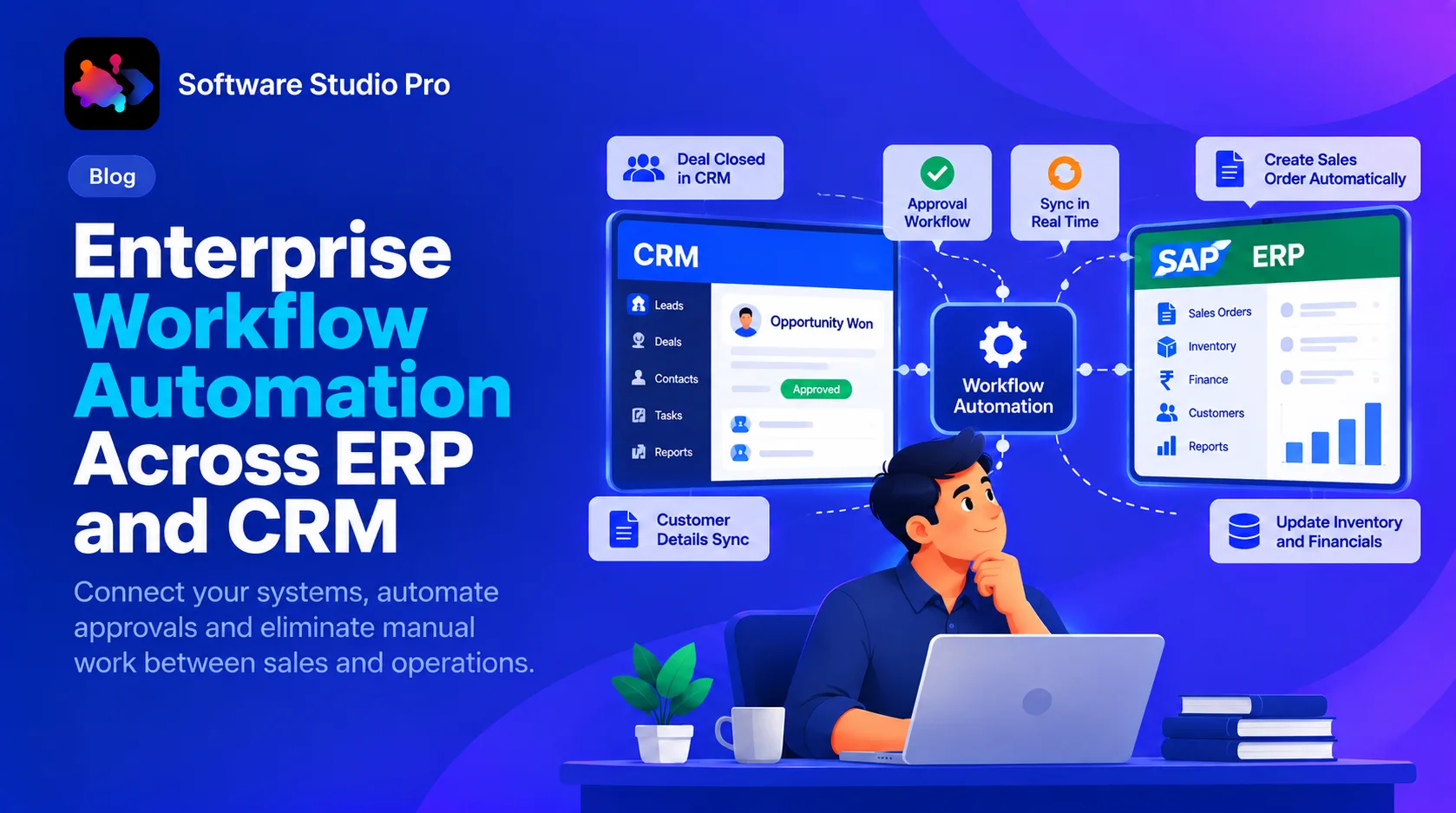
Enterprise Workflow Automation Across ERP and CRM
Updated on - 23rd October, 2026